What is the Salon Manager GPT?
The Tresse Salon Manager is a custom ChatGPT app that connects directly to your Tresse account. You can ask it things like “what’s on the schedule today?” or “book a haircut for Sarah at 3pm” and it will read and update your real Tresse data.
It works through a secure OAuth connection, the same kind of authorization used by apps like Google and Slack. Your login credentials are never shared with ChatGPT.
Requirements
- A Tresse account with an active business
- A ChatGPT Plus, Team, or Enterprise account (required for custom GPTs)
Getting started
Open the Salon Manager GPT in ChatGPT:
The first time you use it, ChatGPT will ask you to sign in with Tresse. Click the sign-in button and you will be redirected to Tresse to authorize access.
Authorizing access
After signing in with your Tresse account, you will see an authorization screen showing your business name and the permissions the GPT is requesting.
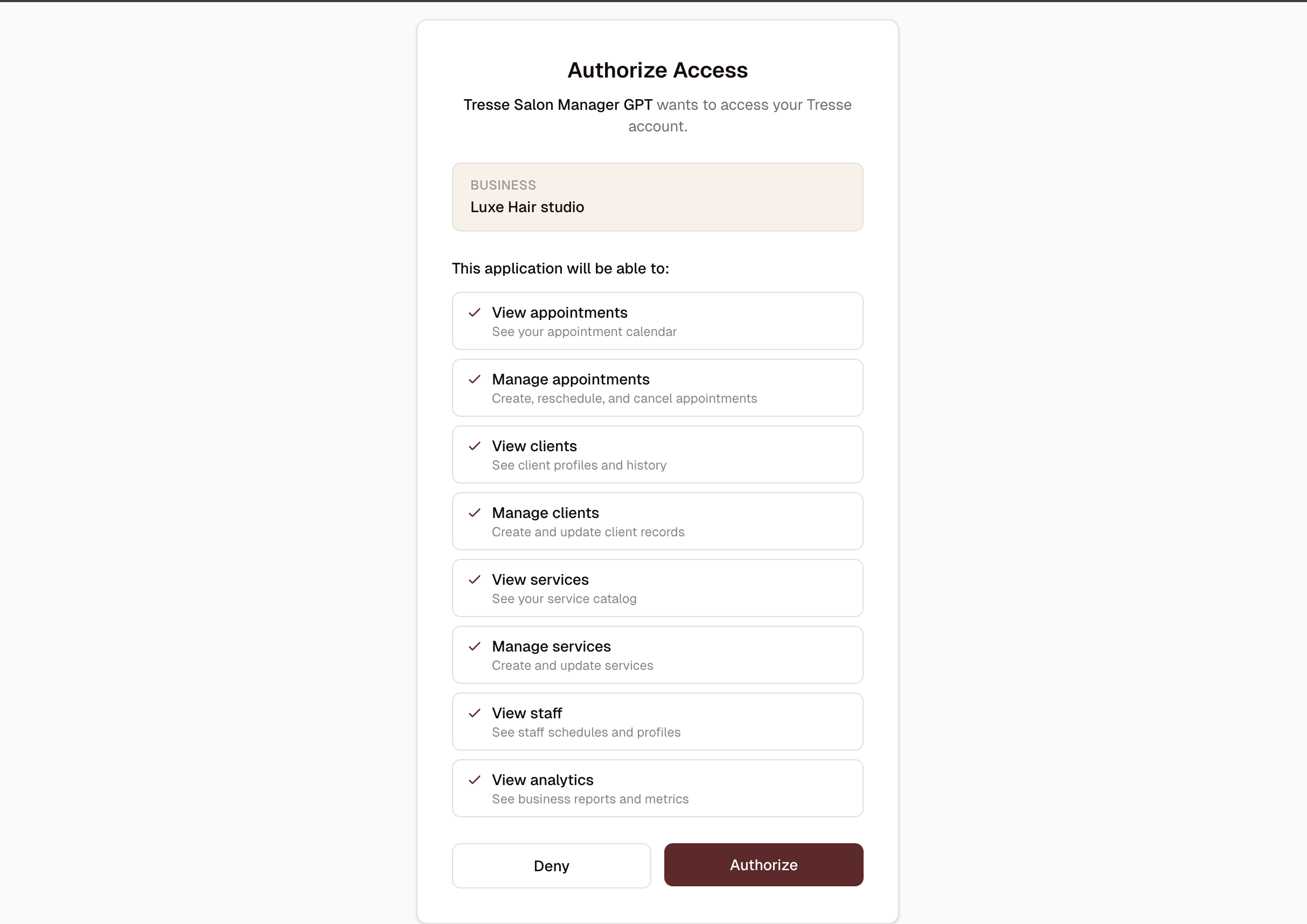
Review the permissions and click Authorize. You will be redirected back to ChatGPT and the GPT will be ready to use. You only need to authorize once; ChatGPT remembers your connection.
What you can do
Once connected, try asking:
- “What’s on the schedule today?”
- “Look up client Sarah Johnson”
- “Book a haircut for a walk-in at 3pm with James”
- “Cancel the 4pm appointment”
- “Add a new service: Deep Conditioning, 45 minutes, $65”
- “Show me this week’s revenue”
Permissions
The Salon Manager GPT has access to:
- Appointments -- view, create, reschedule, and cancel
- Clients -- view profiles and history, create and update records
- Services -- view and manage your service catalog
- Staff -- view schedules and profiles
- Analytics -- view business reports and metrics
It cannot access your billing information, account settings, or payment processing. It also cannot delete records, only create and update them.
Disconnecting
To revoke the GPT’s access to your Tresse account, go to Settings > API Keys in your Tresse dashboard and find the OAuth connection. Click “Revoke” to immediately disconnect it. You can re-authorize at any time by opening the GPT again.
Privacy and security
The GPT connects to Tresse through OAuth 2.0. Your Tresse password is never shared with ChatGPT. The connection uses short-lived access tokens (1 hour) that are automatically refreshed. All data is transmitted over HTTPS and OpenAI’s data handling policies apply to conversations.
If you have concerns about data privacy, you can use the GPT in a private conversation that is not used for model training (available on ChatGPT Team and Enterprise plans).